What Does Blue Mean on Turnitin? Blue Originality Report Explained
Short answer: on the standard Turnitin colour scale, a blue icon means no matching text was found. But blue appears in three different places on Turnitin, and it does not mean the same thing in each. Here is how to tell which blue you are looking at.
1. A blue similarity icon or flag
The coloured icon beside your submission summarises your similarity score. The scale most institutions publish is:
| Colour | Similarity score |
|---|---|
| Blue | No matching text (0%) |
| Green | One word up to 24% |
| Yellow | 25 to 49% |
| Orange | 50 to 74% |
| Red | 75 to 100% |
Either way, blue sits at the bottom of the scale. It is the best colour you can get on the similarity icon.
Does blue mean my work is original?
Not necessarily. Blue only means Turnitin found no matches in its databases. It cannot detect contract cheating, translated copying from sources it does not index, or AI writing. That is why the AI writing report exists as a separate check.
2. Blue highlighted text in the similarity report
Inside the report, each matching source gets its own number and colour, and the matching text in your paper is highlighted in that colour. Colours here are assigned per source. A blue highlight simply means the text matches whichever source was given blue, so check the source number beside it and the source list.
3. Blue (cyan) highlighted text in the AI writing report
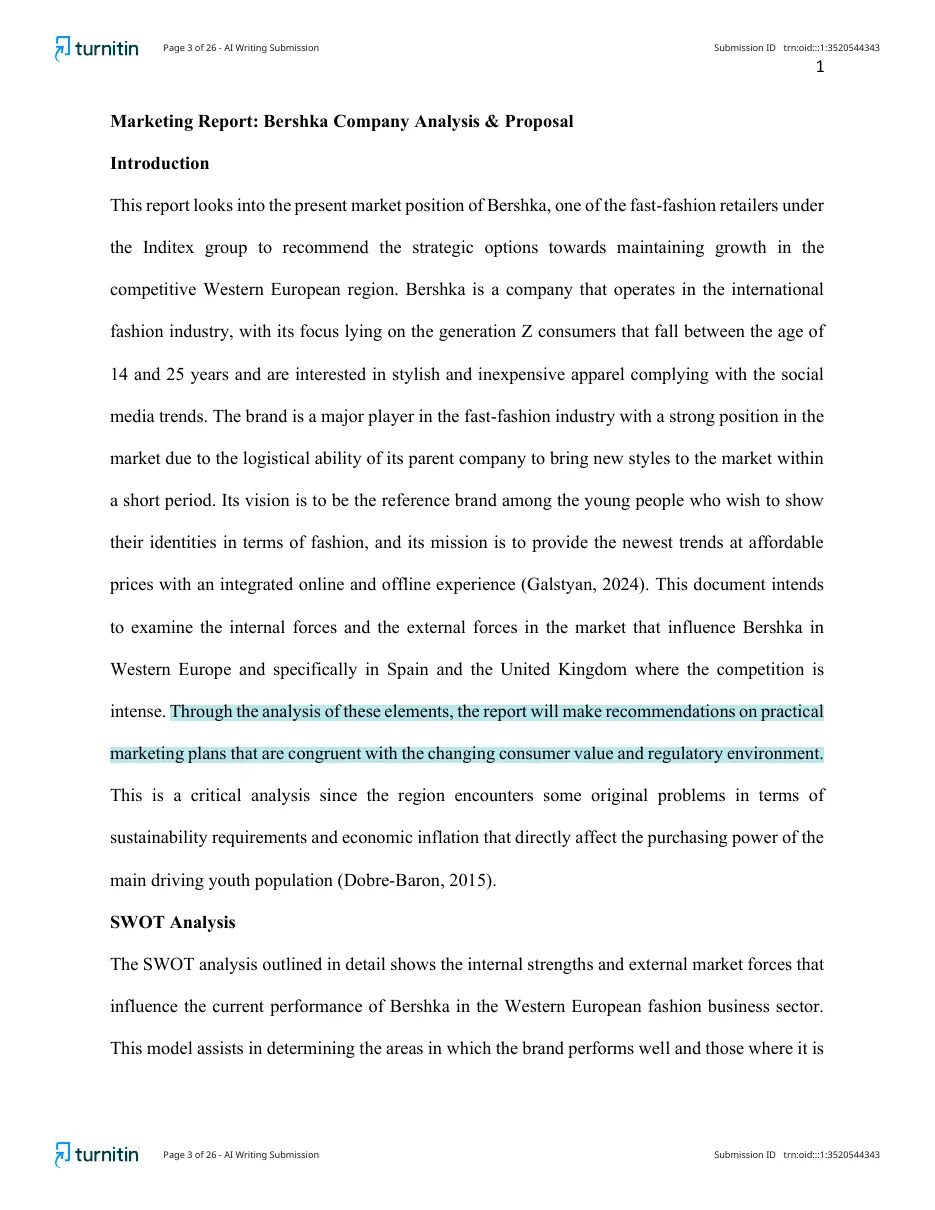
This is the blue that worries students. In the AI writing report, sentences highlighted in cyan / light blue are ones Turnitin considers likely AI-generated. Report versions that split the detection groups use purple for text that was AI-generated and then AI-paraphrased. Turnitin's current guidance describes likely AI text, including bypasser-modified text, as highlighted in blue.
The AI indicator icon can also show blue, meaning the AI report processed successfully. An asterisk (*%) means a score between 1% and 19%, shown without highlights. Grey means the file could not be processed for AI detection.
What a blue originality report means on Canvas
In Canvas, the coloured icon next to your submission is the originality report. Blue means 0%: Turnitin found no matching text. University Canvas guides list the same scale: blue 0%, green 1 to 24%, yellow 25 to 49%, orange 50 to 74%, red 75 to 100%, and grey while the report is still pending. Click the blue icon to open the full report. More: Canvas originality report colours.
Is a blue Turnitin score good?
For similarity, yes. Blue is the lowest band. Two checks are still worth doing: make sure the word count on the report matches your paper (a scanned PDF also scores 0%), and remember the AI writing score is a separate report. See 0% similarity on Turnitin.
Quick reference
| Where you see blue | Meaning |
|---|---|
| Similarity icon or flag | No matching text (or 1 to 24% in some integrations) |
| Highlight inside the similarity report | Text matching the source assigned that colour |
| Cyan highlight inside the AI report | Sentence likely AI-generated |
| AI indicator icon | AI report processed; percentage shown |
See the colours on a real report
Sample reports: spot the colours yourself
Both screenshots below come from the same 24-page, 6,364-word paper. The similarity report found 1% overall similarity. The AI writing report flagged 51% of the qualifying text as likely AI-generated. Tap either one to see it full size.
Screenshots shown for illustration. Your own reports arrive as full PDFs in your dashboard.
For the full walkthrough of every section, read how to read a Turnitin report.
Frequently asked questions
What does a blue Turnitin icon mean?
In the standard colour scale, blue means Turnitin found no matching text. In some integrations Turnitin's own guide shows blue for 1 to 24% instead, so check the percentage next to the icon.
What does blue highlighted text mean in the AI report?
In the AI writing report, blue or cyan highlighting marks sentences Turnitin judges likely to be AI-generated. In report versions that separate the two groups, purple marks text that was AI-generated and then AI-paraphrased.
Is blue good on Turnitin?
On the similarity icon, yes: blue is the lowest band. On the AI report, blue highlights are the sentences your instructor will look at.
What does a blue originality report mean on Canvas?
It means 0% similarity: Turnitin found no matching text in your submission. Click the blue icon to open the report.
Is blue good on Turnitin?
Yes, for similarity. Blue is the lowest band. Check the word count matches your paper, since a scanned PDF also scores 0%, and remember the AI score is separate.